Legal Disposal of E-Waste After a Pimlico Move
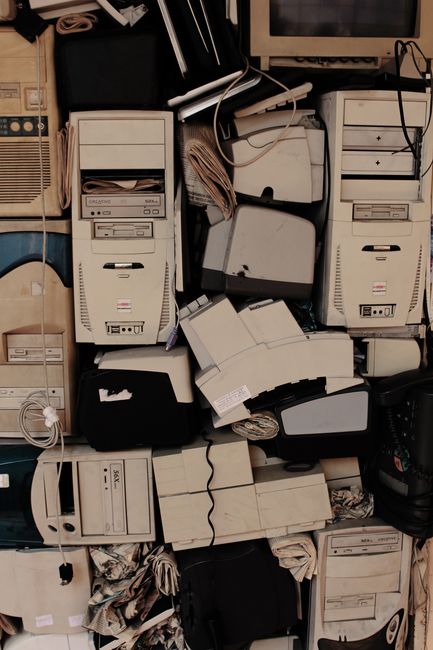
Moving home in Pimlico is busy enough without staring at a pile of old laptops, tangled chargers, dead printers, and that one monitor you swore you would deal with "later". Then later arrives, the van is nearly loaded, and the e-waste still sits in the corner like an awkward guest. Legal disposal of e-waste after a Pimlico move is not just about clearing space. It is about staying compliant, protecting your personal data, and making sure hazardous materials are handled properly.
In a compact London move, especially in flats where every box seems to multiply overnight, electronic waste can be easy to overlook. But the wrong disposal method can create problems fast: privacy risks, fines, extra clutter, and unnecessary stress. This guide breaks down what counts as e-waste, how to dispose of it legally, and how to choose the most practical route after a Pimlico move. You will also find a checklist, a comparison table, and a few real-world tips that make the whole thing feel much more manageable. No fuss. Just a proper plan.
Why Legal Disposal of E-Waste After a Pimlico Move Matters
Electronic waste is not ordinary rubbish. A phone, kettle, Wi-Fi router, desktop tower, or old TV can contain components that should not go into mixed household waste. Some items have batteries, circuit boards, or screens that need specific handling. Others store data you would rather not leave behind. If you have ever found an old hard drive in a "random cables" box, you already know the feeling.
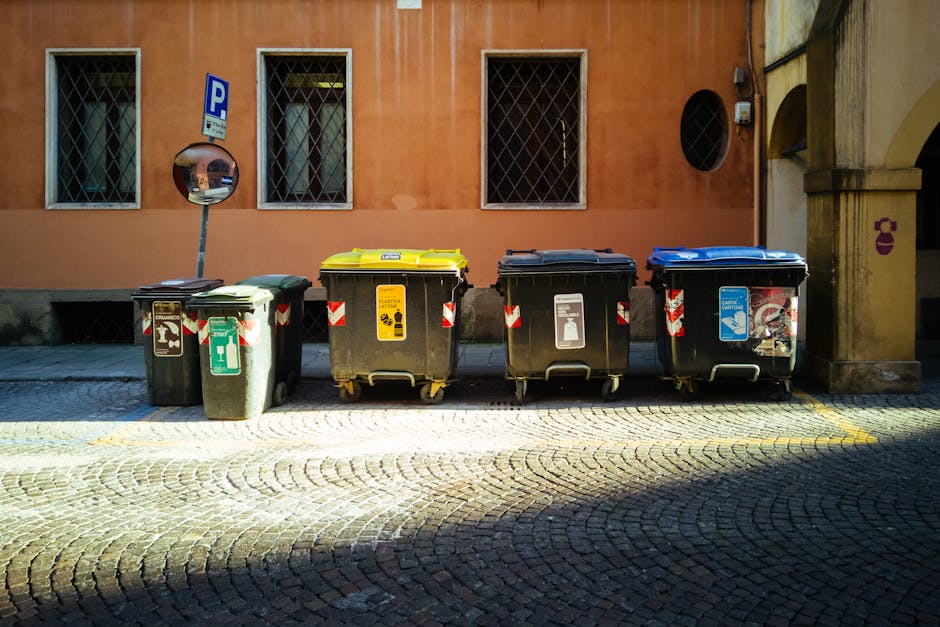
Legality matters because e-waste is typically expected to go through approved collection, reuse, or recycling routes. Fly-tipping or dumping electronics beside communal bins can be treated seriously, and in Westminster the practical fallout can be surprisingly annoying even before you get to the legal side. A neighbour notices. Building management notices. And suddenly your tidy move has a messy afterlife.
There is also the environmental side. Electronics often include metals and plastics that can be recovered if they are processed correctly. That is where local recycling habits and responsible recycling and sustainability practices come into the picture. The goal is not to make you feel guilty. It is to show that a small bit of planning can prevent avoidable waste and protect your data at the same time.
To be fair, most people do not move because they are excited about disposal logistics. They move because life changed: a bigger flat, a job, a relationship, a cleaner lease, a needed reset. But e-waste piles up in every move. That is why sorting it early is one of those small tasks that pays back in a big way.
How Legal Disposal of E-Waste After a Pimlico Move Works
The legal route is usually simpler than people expect. In practice, it tends to fall into one of four paths: reuse, resale, take-back, or recycling. Which one fits depends on the item's condition, age, and whether it stores personal information.
1) Reuse if the item still works
If a laptop still boots, a monitor still displays correctly, or a printer still functions, reuse should always be considered first. That might mean passing it on to a family member, donating it to a local community organisation, or keeping it in storage if you genuinely need it. If you are temporarily between homes, a short stay in storage in Pimlico can be a sensible bridge while you decide what stays and what goes.
2) Resale if it is decent enough to recover value
Some electronics still have market value, even if they are no longer new. A sound system, tablet, or office monitor might be usable for someone else. Before you list anything, wipe it properly and check accessories. Missing chargers are the classic little problem that turns a sale into a headache. We have all done that "where is the power cable?" rummage at least once.
3) Manufacturer or retailer take-back
Some products can be returned through take-back schemes or retailer services, especially when buying a replacement. That route is useful for smaller items or when you want a documented handoff. Keep the receipt or confirmation if you can. It is a nice paper trail, and paper trails are boring until you need one.
4) Licensed recycling or disposal service
For broken, obsolete, or unsafe items, recycling is often the cleanest legal option. A proper collection point or vetted disposal partner can separate recoverable materials and handle the rest appropriately. If your move involved a lot of sorting, it may help to review your options alongside Pimlico removal services that already understand how to manage mixed household contents. For business users, office removals in Pimlico can be especially relevant because work devices often need careful handling, not just simple disposal.
The key point is this: legal disposal is about matching the item to the right route. Not every device needs the same treatment, and not everything needs to be thrown away. That is where many people save money, time, and a bit of sanity.
Key Benefits and Practical Advantages
When e-waste is handled properly after a Pimlico move, the benefits are broader than just a cleaner hallway.
- Better data protection: old devices can contain saved passwords, photos, documents, and login details.
- Less clutter in a new home: you start fresh rather than carrying unwanted electronics into already tight storage.
- Lower risk of accidental fines or complaints: especially if items are left near communal bins or in shared areas.
- More room for useful things: you would be surprised how much space one unused printer can steal.
- Potential resale value: a few items still have life left in them.
- Environmental responsibility: materials are recovered instead of wasted.
There is also a psychological benefit, if we are honest. A move already asks a lot of you. Once the cables, chargers, and old tech are cleared, the new place starts feeling like yours. Even if the sofa is still in the wrong corner and the kettle is missing for an hour or two.
Expert summary: The best e-waste approach after a move is usually a mix of reuse, secure data wiping, and certified recycling. If an item is working, don't rush it to disposal. If it is broken, don't let it sit around "just in case" for six more months.
Who This Is For and When It Makes Sense
Legal disposal of e-waste after a Pimlico move is useful for almost everyone, but the circumstances differ.
Home movers
Households typically have the widest mix of items: old televisions, kettles, gaming consoles, routers, tablets, chargers, hair tools, and more. If you are moving from a flat with limited storage, the temptation to keep "maybe useful" electronics is strong. Very strong. But small flats punish indecision, so sorting early matters.
Students and sharers
Students often move quickly and cheaply, and tech gets left behind more often than people admit. If you are moving between a college term address and a new place, student removals in Pimlico can help with the practical side, while you focus on separating usable devices from broken ones. Sharing old monitors or printers between flatmates can be a decent interim fix too.
Landlords, tenants, and flat owners
If you are clearing a rental, e-waste can be left in cupboards, lofts, or behind furniture. It is one of those "forgotten" categories that surfaces right at the end, often when the keys are due back. That is where flat removals in Pimlico become helpful, especially when access is tight and items need to go out in a single sweep.
Small businesses and home offices
Desktops, old printers, extra screens, scanners, and router equipment usually deserve a more careful process. Business users should be especially cautious about devices that may contain customer data, saved emails, or accounting records. It is rarely the obvious things that cause trouble; it is the forgotten machine under the desk.
Anyone downsizing
If the move is part of a downsizing plan, e-waste disposal becomes a sorting exercise. You are not just emptying a property. You are deciding what deserves space in the next chapter. Slightly dramatic, maybe, but true all the same.
Step-by-Step Guidance
Here is a practical way to handle e-waste after a Pimlico move without letting it take over the week.
- Gather all electronics in one place. Include chargers, cables, batteries, headphones, smart devices, and accessories. Do a full sweep: drawers, bedside tables, under desks, that box in the wardrobe, all of it.
- Sort items into four piles. Keep, reuse/donate, resell, recycle/dispose. If you are unsure, put it in a "review later" pile, but keep that pile small.
- Check whether devices still work. Plug them in if needed. A surprising number of "dead" electronics are just missing a cable or stuck on a setting somewhere.
- Back up and wipe data. Reset phones, tablets, laptops, and smart home devices. Remove SIM cards, memory cards, and any drives you want to keep.
- Detach accessories. Separate batteries, removable cables, cartridges, and cases where possible.
- Choose the right disposal path. Working items should usually be reused, sold, or donated. Broken items should go to a suitable recycling route.
- Book collection or drop-off. If you are using a move provider, ask whether they can assist with heavy or awkward items. For some readers, a man with a van in Pimlico is useful for getting bulky electronics moved safely, especially when stairs are involved.
- Keep a record if the items are sensitive. This is especially helpful for business electronics or expensive home office equipment.
A good rule of thumb: if the item has ever held personal information, treat data wiping as non-negotiable. If the item is damaged, treat safe handling as non-negotiable. Simple enough, but easy to forget in the rush of moving day.
Expert Tips for Better Results
Here are the small decisions that tend to make the biggest difference.
- Start with the oldest devices first. They are usually the easiest to decide on, and they clear mental clutter fast.
- Use the move as a forced edit. If you have not used a device in a year, ask whether it deserves the next address.
- Protect screens before transport. Old monitors and TVs crack easily in narrow hallways and on awkward stairs. If the building has Victorian staircases or tight corners, that matters more than people think.
- Group chargers with the devices they belong to. Otherwise you end up with a cable drawer that looks like a small, tangled ocean.
- Ask about service scope early. If you are comparing providers, a quick look at the services overview can help you understand what kinds of support are available beyond basic transport.
- Combine e-waste disposal with other decluttering. Old furniture, packaging, and broken household items often leave together more efficiently than one-by-one trips.
One practical observation: if you leave e-waste until after the move, it tends to become "temporary storage" for weeks. And temporary storage has a way of becoming permanent. Funny how that works, isn't it?
Common Mistakes to Avoid
Most e-waste problems are avoidable. They usually come from rushing, not from bad intentions.
- Mixing e-waste with general rubbish. This is the easiest mistake to make and one of the least useful.
- Leaving devices intact with private data. A factory reset helps, but for some devices a more thorough wipe is wise.
- Forgetting small items. Earbuds, smart watches, plug-in sensors, batteries, and adapters are easy to miss.
- Dumping items in shared bin areas. That can create building complaints very quickly.
- Assuming "broken" means "worthless". Sometimes the casing is damaged but parts can still be recovered or reused.
- Not checking battery safety. Swollen batteries and damaged power packs should be handled with caution, not squeezed into a random bag.
Another big one: people often dispose of the main device and forget the accessories. Then the cables appear later, usually during unpacking, and everyone has a little sigh. It happens.
Tools, Resources and Recommendations
You do not need a complicated toolkit, but a few simple things help.
- Labels or masking tape: mark items as keep, sell, donate, or recycle.
- Small boxes or zip bags: ideal for cables, memory cards, batteries, and chargers.
- Phone camera: take quick photos of serial numbers or item condition before handing anything over.
- Data-wipe checklist: useful for laptops, phones, tablets, and smart devices.
- Moving blankets or bubble wrap: protect screens and delicate components during transit.
For people trying to keep a move tidy, a package that includes packing and boxes in Pimlico can make sorting electronics much smoother. If you are already dealing with fragile items, this is one of those small investments that pays off quickly.
If you are comparing disposal approaches, it can also be worth thinking about the overall move process. A provider that understands local access, tight streets, and awkward loading can save you time at the start, which frees you up to handle the recycling side properly. If that sounds familiar, Pimlico removal companies may be worth exploring alongside your disposal plan.
Law, Compliance, Standards, or Best Practice
For e-waste, the safest approach is to follow recognised UK waste-handling practice and avoid making assumptions about what can go in normal household waste. In plain English: if it is electronic, battery-powered, cable-connected, or contains a circuit board, stop and check the correct route before you throw it away.
There are a few broad best-practice principles that matter here:
- Do not place electronic waste in general waste if a dedicated route is available.
- Keep batteries separate where possible. Damaged batteries especially should be treated carefully.
- Use reputable recycling or disposal arrangements. If someone offers a too-cheap "take it all away" service and cannot explain where the waste goes, be cautious.
- For business devices, protect confidential data. A proper wipe or certified destruction process may be needed depending on the type of device and the sensitivity of the information.
- Keep documentation when handing over larger volumes. That is especially useful for landlords, agents, and small businesses.
Best practice is not about perfection. It is about being sensible and leaving a record where needed. In a busy move, that is usually enough to keep you on the right side of things and reduce the risk of awkward surprises later.
Options, Methods, or Comparison Table
Different e-waste methods suit different situations. Here is a simple comparison to help you decide quickly.
| Method | Best for | Pros | Watch-outs |
|---|---|---|---|
| Reuse / donate | Working electronics in decent condition | Extends lifespan, reduces waste, simple and practical | Items should be clean, complete, and safe to use |
| Resale | Devices with market value | Can recover some money, keeps items in use | Requires data wiping, photos, and time to arrange |
| Take-back scheme | Selected appliances and smaller electronics | Convenient, traceable, often straightforward | Not available for every item |
| Licensed recycling | Broken, obsolete, or unsafe electronics | Most appropriate for true waste, more responsible than dumping | May require sorting and check-in time |
| Move-provider assistance | Large or awkward items during relocation | Good for heavy loads and tight stairwells | Not every provider handles every item type |
If you are moving from a flat with awkward access, a provider that understands the local terrain can save you effort. For example, a lot of residents benefit from reading about Victorian stairs and narrow flats moving fixes before they try to shift a bulky TV downstairs by themselves. That kind of detail sounds small until you are actually holding the thing.
Case Study or Real-World Example
Take a typical Pimlico move from a one-bedroom flat to another nearby address. The resident has a working desktop monitor, an old printer that jams, a smart speaker, three unused routers, and a box of charging cables that has somehow become a moral burden. None of it is massive, but together it fills half a cupboard.
What usually happens without a plan? The monitor gets carried to the new place, the printer gets "temporarily" stored, and the cables become a future problem. Three months later, the resident is still looking at a dead printer under the stairs. Not ideal.
What works better is a simple split. The monitor is cleaned and kept because it is still useful. The printer is checked, then recycled because it is not worth repairing. The smart speaker is reset and passed on. The routers are sorted by model, and the cables are grouped with labels. One quick data wipe later, the move is lighter and the new flat feels calmer from day one.
Another example: a small home office move. Here, e-waste can include old external drives, scanners, a second screen, and a cheap webcam that has long outlived its usefulness. The more sensitive the device, the more important the data wipe. For that kind of move, planning ahead avoids a last-minute scramble when the desk is already half dismantled and someone is asking where the kettle went. A classic.
Practical Checklist
Use this checklist before and after the move.
- Gather all electronics in one room or one box area.
- Separate working items from broken items.
- Remove batteries, SIM cards, and memory cards where relevant.
- Back up important data.
- Factory reset phones, tablets, smart devices, and laptops.
- Wipe old drives or arrange secure destruction if needed.
- Sort chargers, leads, and accessories into labelled bags.
- Decide what to resell, donate, keep, or recycle.
- Protect screens and fragile items with suitable packing.
- Book transport or disposal support for large or awkward items.
- Keep a record of any sensitive or business equipment handed over.
- Double-check communal areas, cupboards, and behind furniture for stray devices.
If your move is happening on a tight schedule, you may want to look at same-day removals in Pimlico only where speed genuinely helps. Fast is useful. Rushed is not the same thing, and with e-waste, rushed can get messy fast.
Conclusion
Legal disposal of e-waste after a Pimlico move is really about three things: safety, data protection, and common sense. Once you separate reusable electronics from true waste, the rest becomes much easier. You reduce clutter, avoid risky shortcuts, and give yourself a cleaner start in the new place.
Truth be told, the best time to deal with e-waste is before it becomes an afterthought. A little sorting on packing day can save a lot of awkwardness later. And in a neighbourhood where access, stairs, and timing already demand attention, that bit of foresight matters.
Keep it simple. Keep it lawful. Keep it moving. That's usually enough.
Get a free quote today and see how much you can save.
Frequently Asked Questions
What counts as e-waste after a house move?
E-waste includes old electronics such as laptops, TVs, monitors, phones, routers, printers, chargers, cables, smart devices, and anything with a plug, battery, or circuit board. If in doubt, treat it as e-waste rather than general rubbish.
Can I put old electronics in the normal bin?
Usually, no. Electronics should follow a dedicated reuse, take-back, or recycling route. Putting them in general waste is the kind of shortcut that causes problems later, especially with batteries and data-bearing devices.
How do I wipe data from a laptop or phone before disposal?
Back up what you need first, then use the device's reset or erase function. For devices with sensitive information, a more thorough wipe may be sensible. If the data is business-related, be extra cautious.
What should I do with broken batteries?
Keep them separate and handle them carefully. Damaged, swollen, or leaking batteries should not be squeezed into bags with other items. Store them safely and use an appropriate disposal route as soon as possible.
Is it better to donate or recycle old electronics?
If the item still works and is safe to use, donation or reuse is often better. If it is broken, obsolete, or unsafe, recycling is the better legal and practical route.
Do I need to remove chargers and accessories from devices?
Yes, ideally. Separate chargers, cables, memory cards, and batteries where possible. It makes sorting easier and reduces the chance of mixed waste or accidental data loss.
What if my old electronics still have some value?
Then resale may be worth considering. Clean the item, check that it works, wipe your data, and include the correct accessories. Even a modest resale can take a bit of pressure off a move budget.
Can a removal team help with e-waste?
Some can help transport bulky electronics or move items into a storage or disposal plan, especially if access is awkward. It is worth asking in advance what is covered and what is not.
How do I know whether a disposal service is legitimate?
Ask clear questions about where the items go, how they are processed, and whether they can handle data-bearing devices properly. If the answers are vague, that is a warning sign.
What is the safest option for business electronics?
For business equipment, secure data wiping and documented handover are usually the safest approach. If the devices may contain confidential files, treat them more carefully than ordinary household tech.
How early should I sort e-waste before moving day?
As early as you can. A week or two before the move is often enough for a proper sort. If you leave it until the final day, it tends to become one more thing fighting for time and space.
Why does e-waste matter more in a Pimlico move?
Pimlico flats often mean tighter access, smaller storage, and more careful packing. That makes it easier for old electronics to get overlooked. Handling them early keeps the move calmer and the new home cleaner from the start.
If you are also comparing broader moving support, you might find it useful to review removals in Pimlico and furniture removals in Pimlico alongside your disposal plan, so the whole job is handled in one clean sequence.
One last thought: a move is already a lot. If you can clear the electronics properly, the rest of the unpacking feels lighter. And that first quiet evening in the new place, with fewer boxes and fewer wires, is worth the effort.